Adaptive Storage - Global Settings
 1 / 10
Adaptive Storage - Global Settings MEMORANDUM TO ALL COLONY ADMINISTRATORS SUBJECT: DIRECTIVE 71-ECHO - MULTI-SPECTRUM ASSET CALIBRATION (For a direct, non-narrative breakdown, the full Features List is available here.
Adaptive Storage - Global Settings
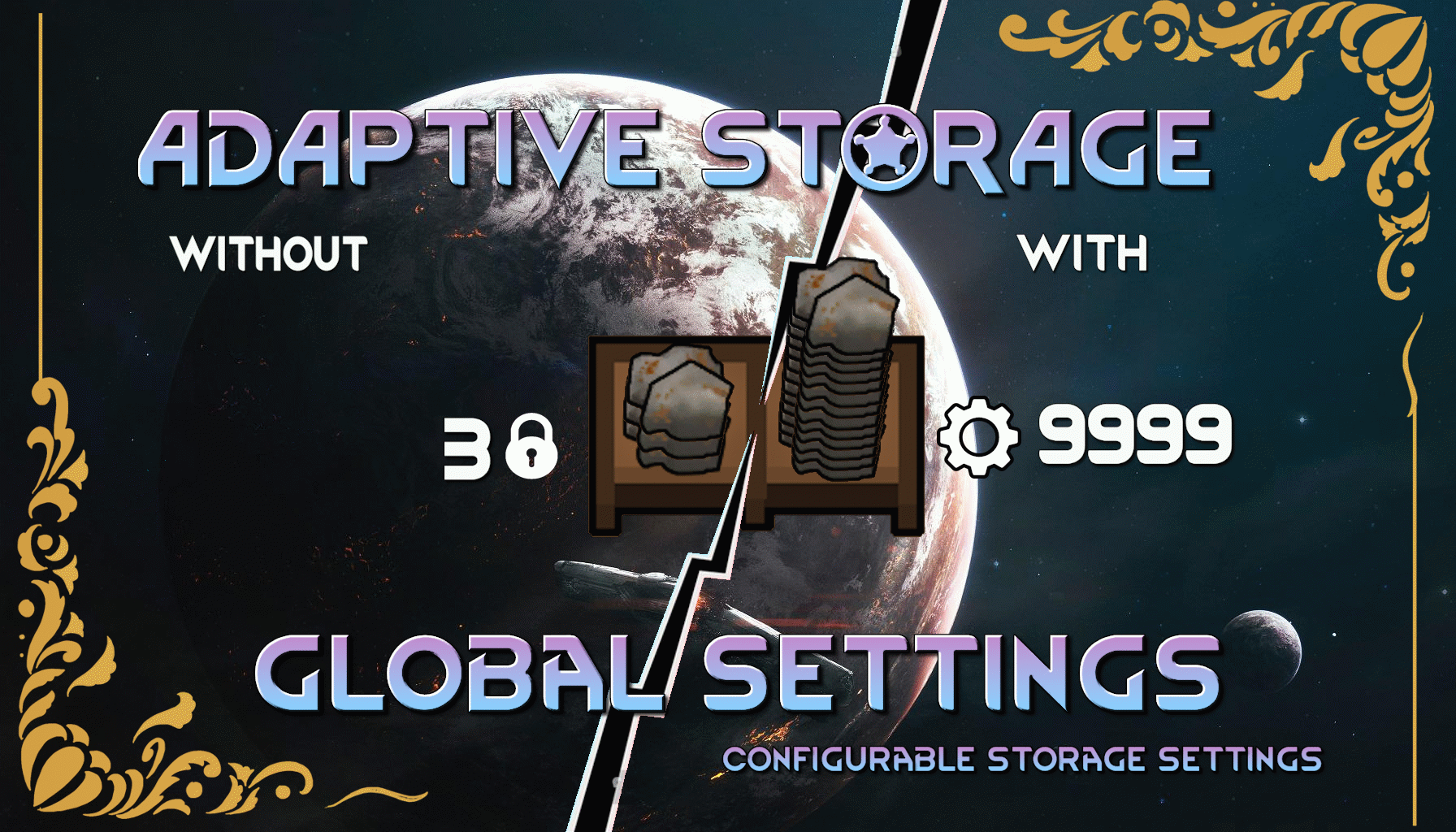
MEMORANDUM TO ALL COLONY ADMINISTRATORS SUBJECT: DIRECTIVE 71-ECHO - MULTI-SPECTRUM ASSET CALIBRATION (For a direct, non-narrative breakdown, the full Features List is available here.) (To see what's new or has been modified, please check the Change Notes tab.) Analysis of logistical operations has revealed significant performance variance, as well as suboptimal energy allocation and organizational categorization across third-party storage assets. To maximize efficiency, a new mandate for per-asset optimization is now in effect. Administrators are required to evaluate and calibrate the storage parameters, architectural designation, priority defaults, visual containment protocols, and power consumption profiles of each container type individually. Adaptive Storage - Global Settings is the management tool authorized for this task. It provides a central terminal in your management interface (Options > Mod Settings) allowing you to individually define the "Stacks per Cell," storage priority, Architect Menu category, contained-item visuals, item filter, and power draw for compatible storage assets. Assets derived from the Adaptive Storage Framework are supported automatically, and additional non-Adaptive storage assets may be manually authorized from the mod settings terminal. Your goal is not standardization, but customized efficiency. Calibrate each asset to its optimal performance. Terminal Capabilities:- Granular Control: Set a unique capacity for each and every compatible storage building type.
- Priority Calibration: Define the default priority assigned to newly manufactured storage assets.
- Architectural Re-Designation: Re-assign any storage asset to a different Architect Menu category for improved organizational clarity. Assets can also be removed from the menu entirely.
- Core Parameter Calibration: Toggle fundamental operational parameters for each asset, including deterioration prevention, beauty response integration, hopper functionality, and surface paintability.
- Movement Cost Calibration: Adjust the pathing cost of passable storage assets to control how willingly colonists walk across them.
- Energy Profile Calibration: For powered assets, directly modify their base power consumption to meet colony energy requirements.
- Visual Containment Protocols: For supported Adaptive Storage assets, allow contained items to render normally or hide contained visuals when cleaner presentation is required.
- Filter Protocol Duplication: Instantly copy and paste complex filter settings from one asset to another via integrated clipboard functions.
- Asset Origin Filtering: Isolate assets by their original manufacturer (mod name) for precise adjustments.
- Modified Asset Review: Display only assets that currently have active calibrations.
- Asset Designation Search: Instantly locate a specific asset by its designation.
- Manual Asset Authorization: Add storage-capable non-Adaptive buildings to the terminal through a searchable asset registry.
- System-Wide Factory Reset: The "Reset All" function will revert all assets to their factory default specifications upon confirmation.
- Calibration Blueprinting: Authorize the export of the complete asset calibration profile to a data slate (XML file) for archival purposes, or import a pre-approved blueprint to standardize parameters across installations.
- Runtime Deployment Controls: Configure whether supported calibrations are pushed to already-placed assets during active operation.
- Diagnostic Logging: Enable expanded ASGS logging for administrators who require detailed calibration reports.
- Zero-Footprint Software: This management utility consumes no colony resources and has zero impact on operational performance.
Translations
Chinese by 恰似宛然一笑生花Support:

Similar Mods


![JecsTools [Deprecated]](https://images.steamusercontent.com/ugc/941708627441551739/7869E0281E5AF57B25CC7EBFFF46D64739E8F89A/)

More Mods by NuanKi

Concrete Walls - Forked
Introducing the ultimate in construction power for your home or fortress!
Archon Multi-Analyzer
This mod introduces the Archon Multi-Analyzer, a groundbreaking addition to your colony’s research capabilities.

Freezer of the Damned
The Freezer of the Damned is a chilling apparatus designed for the darkest purposes.

Flagstone Rebalance
Reduces the cost and construction time for all the Flagstone (included modded).
More Storage Mods
Adaptive Simple Storage
This mod is an independent port of Simple Storage by JangoDsoul from the LWM's Deep Storage to the Adaptive Storage Framework using the Simple Storage Retexture and restyle made by Phaneron.
![[JDS] Simple Storage](https://images.steamusercontent.com/ugc/2510270469379851282/50847BE5BF6DE34949153A4ED619C81B1F4CC20D/)
[JDS] Simple Storage
Hate how your stockpile is overflowing of useless thing or just the fact it just a sore eye.
![[KV] Save Storage, Outfit, Crafting, Drug, & Operation Settings [1.5/1.6]](https://images.steamusercontent.com/ugc/2524905437624164860/7A2B955F9A5F2F52106BF858C5889BEBF893F8FF/)
[KV] Save Storage, Outfit, Crafting, Drug, & Operation Settings [1.5/1.6]
Save and Load Dump/Stockpile and Outfit settings.

pick up and haul zh 中文补丁
pick up and haul mod菜单汉化,请在原mod之后加载。 翻译:简体中文 ——————————————————————————