[DR] Dream's Damage Indicators
 1 / 3
1 / 3Making Damage Numbers Clear and Stylish!
Making Damage Numbers Clear and Stylish!
Core Highlights
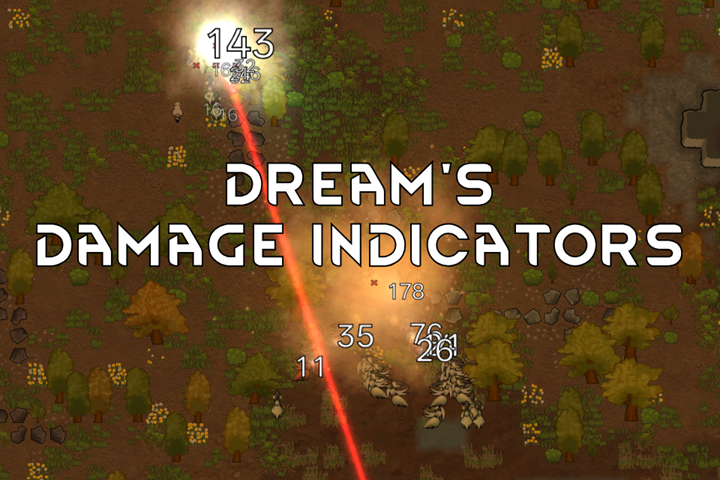
- Damage Aggregation Refresh: Damage taken by the same unit within a short period is accumulated into a single number and updated in real time, rather than spawning a flurry of floating texts every time. The number follows the target, remaining clearly readable at all times.
- Hit Bounce Feedback: The number enlarges instantly upon impact. Consecutive hits increase the size progressively, then it shrinks and fades out. You can tell at a glance who is under sustained attacks; and the most recently hit number automatically rises to the top for greater visibility.
- Dynamic Floating Effect: The number drifts downward over a short distance, with random offsets on consecutive hits, delivering a more realistic sense of impact.
- Highly Customizable: Size, bounce, floating duration, timing, display targets—all adjustable in the paginated settings, with a one-click restore default option. Supports display filtering (ally/non-ally/buildings/others).
All Display Needs, Fully Satisfied!
- If you want it to look just like the preview GIF, simply go with the default settings.
- If you don't want them bouncing around, set all the magnification multipliers back to 1 and disable the hit random offset, and they'll "calm down."
- If you want to track the total short-term damage taken by a target over a longer period, increase the "aggregation time" (default is 0.5 seconds). Conversely, if you don't want them to accumulate, set it to 0 seconds.
- If you want something flashier—like really huge numbers—you can increase both the per-hit magnification multiplier and the cap multiplier.
Multiple Damage Color Schemes Available!
- Default: all numbers are white.
- Color by damage value: numbers are colored according to the damage amount.
- Custom damage type colors: assign different colors to different damage types as you prefer.
Performance
Oh! I know what you're thinking. The performance overhead of this mod is actually lower than that of Damage Indicators—you can check the second image in the preview (the top one is Damage Indicators). If you have performance to spare, you can enable the "Move consecutive-hit numbers to front" feature in the settings, but this will affect performance to some extent (only noticeably so when dozens or even hundreds of enemies take multiple instances of damage within the same second).Custom Fonts
Yeah you can use your own fonts! Please follow the guide in the mod settings Usage: www.bilibili.com/video/BV16Kh56WE6i (sorry about only cn)Similar Mods

QualityBuilder
With QualityBuilder all buildings that have quality (beds, tables etc) will only be build by the best builder to ensure the best outgoing quality.

EdB Prepare Carefully
Customize your RimWorld colonists, choose your gear and prepare carefully for your crash landing!


RimHUD
RimHUD is a UI mod that displays detailed information about a selected character or creature.
More Mods by 梦境触感
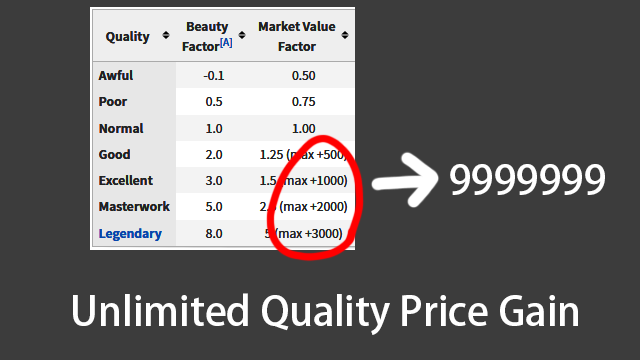
Unlimited Quality Price Gain
In the vanilla game, there is a cap on the sale bonus for different qualities.

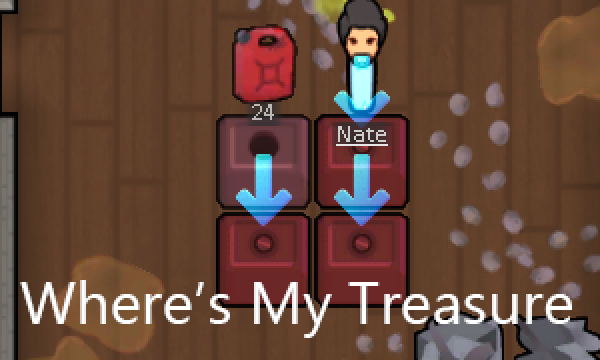
Where's My Treasure
Tired of having to check each building one by one after clearing ruins to see if it's a loot chest?
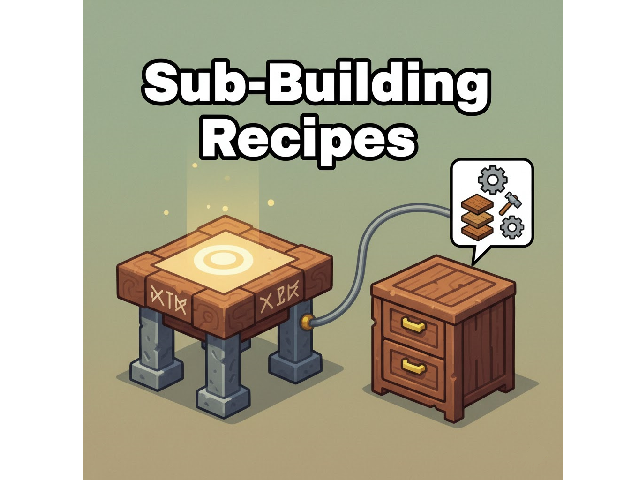
SubBuildingRecipes
This is a framework mod designed for modders, enabling sub-buildings to add new recipes to the main building.
More Management Mods




Vanilla Expanded Framework
The Vanilla Expanded Framework (VEF) is a core modding library required by many of the Vanilla Expanded mods.