Modern Quest Menu
 1 / 4
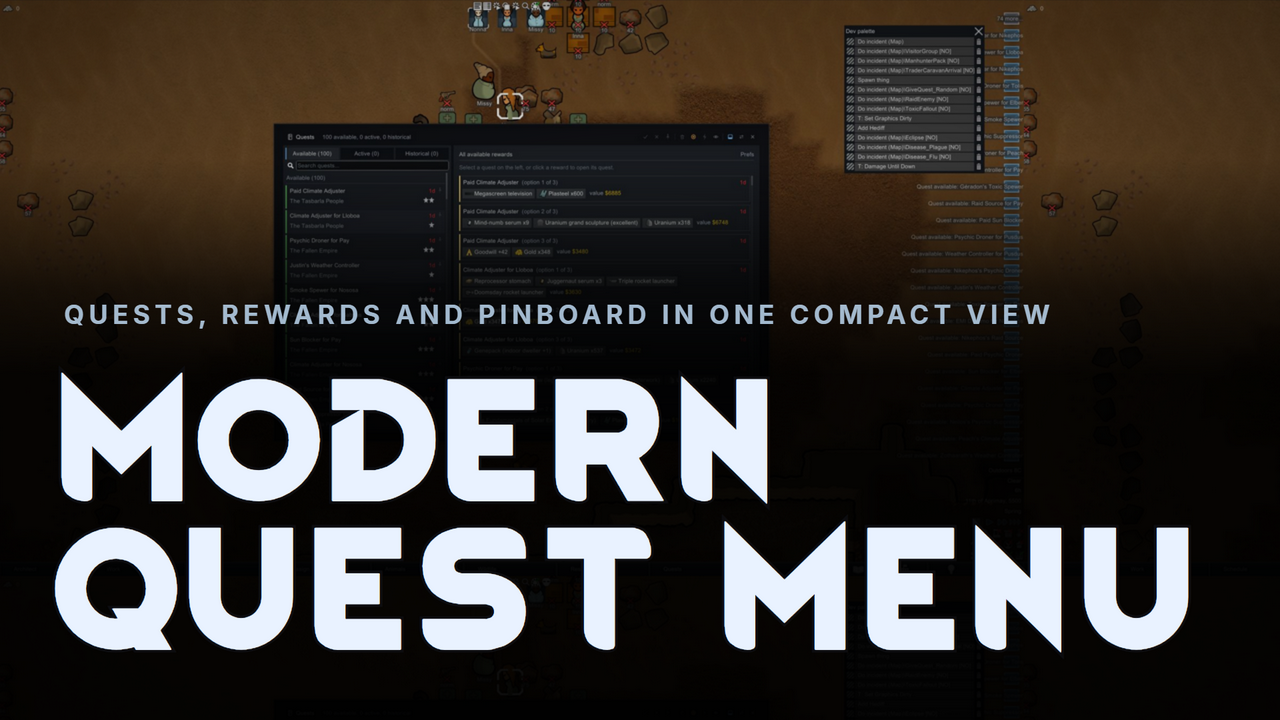
1 / 4◆ Modern Quest Menu ◆ The vanilla Quests window is a cramped wall of grey text.
◆ Modern Quest Menu ◆
The vanilla Quests window is a cramped wall of grey text. Modern Quest Menu replaces it with a compact, flat, dark two-pane dashboard: your quests on the left, everything about the selected quest on the right, and a live reward browser whenever nothing is selected. Fully standalone, with Harmony as the only requirement.✦ A Clean Two-Pane Layout
- Left, your quests: Available, Active and Historical chips with live counts, a search box, pinned quests in their own group at the top, and clean quest cards below.
- Right, the quest: title, faction standing, description, rewards and jump links in one place. Read it, judge it, accept it, without your eyes ever leaving the pane.
- Flat black and azure: the whole window matches the Modern suite, with flat panels, one accent colour, sentence-case labels, and slim auto-hiding scrollbars.
✦ The Reward Browser
When no quest is selected, the right pane becomes a browser of every reward on offer across all your quests. See something you want, click it, and its quest opens with the accept buttons ready. Click the selected quest again to go back to browsing.✦ Quest Cards
- Live expiry meter: each card's left edge is a time gauge. It starts full and green when a quest appears, then drains and shifts through gold to bright red as the accept deadline runs down. Hover it for the exact time remaining.
- Everything at a glance: quest name, faction, challenge skulls, charity and dismissed flags, and the time left, all on the card. Right-click for quick pin or dismiss.
- The pinboard, built in: pin any quest and it stays at the top of the list in its own group, visible on every tab, saved with your game.
✦ Accepting, Done Right
- "Accept for:" cards: each reward option is a card with item icons and total market value. The whole card is the button: hover to highlight, click to accept. Blocked options grey out and state the reason right on the card.
- No-reward quests: offers without reward choices (Guild offers, refugee pods and the like) get a clear Accept quest button in the same spot.
- Vanilla-faithful accepting: the colonist picker, royal-favor warnings, and charity confirmations all behave exactly like the base game.
✦ Know Your Quest Giver
The info line shows the giving faction's standing at a glance: ally, neutral or hostile, plus current goodwill, coloured by state. With Modern Faction Menu and Itemization Overhaul installed, a rotating ticker adds their held relics, travelling groups, other quests, fresh events, and royal titles.✦ Dock or Float
Run it docked to the bottom bar like the vanilla tab, or pop it out into a free, draggable, resizable window with a single toolbar click. Your choice is remembered, and a floating window keeps its size and position.✦ Jump Straight to a Quest
Click View Quest on a quest letter, a "quest expires soon" alert, or a quest link in an info card, and the menu opens focused on that quest, with the list scrolled right to it.✦ Fast By Design
Built to stay smooth with very large quest logs. Descriptions resolve once per quest instead of every frame, engine queries are cached, and off-screen rows and reward cards cost nothing. At 200 quests this window draws faster than the vanilla one does at 20.✦ For Modders and Tinkerers
With dev mode on, the toolbar grows an orange dev section: show hidden quests, instantly accept the selected quest, generate any quest script from a menu, or delete a quest outright, with no debug-palette digging.✦ Compatibility
- RimTalk - Quests: AI-generated descriptions show cleanly in the details pane. The enhanced text replaces the original instead of stacking on top.
- Isekai RPG Leveling and Guild Faction Add-on: modded quests keep their dynamic status lines (hero visits, duels, countdowns) exactly as the base game shows them.
- Modern Notifications: pick an accent colour there and this menu follows it automatically.
- Modern Faction Menu and Itemization Overhaul: power the quest-giver ticker when present.
✦ Quality of Life
- Search with counts that follow the filter on every tab chip.
- One-click toggle back to the vanilla Quests window any time, and back again.
- Window-scale slider (60 to 100%) in settings, UI-scale safe at any resolution.
- An optional setting to hide broken, half-generated quests. Off by default.
- Safe to add or remove mid-save. If anything ever goes wrong, the mod logs once and hands back to the vanilla window on its own.
✦ Requirements
- Harmony (brrainz.harmony), the only dependency.
✦ The Modern Family
Shares its look and feel with Modern Bio Tab, Modern Needs Tab, Modern Social Tab, Modern Learning Menu, and the rest of the Modern UI suite, for one consistent interface across your whole colony.✦ Localization
Fully translatable. Every interface string is keyed, so a translation is just a new language file. English is included.Built for RimWorld 1.6. Every quest, every reward, one glance away.
🛠️ Mod Disclaimer & Quality Assurance
A Note on Development: Parts of the code for this mod were generated using Claude AI. However, this is not a low-effort "AI slop" upload. Thank you for downloading, and happy gaming!My Quality Commitment:
- Fully Tested: Every feature and line of code has been thoroughly tested in-game to ensure it functions as intended and integrates smoothly.
- Active Support: I am fully committed to maintaining this mod. If you encounter any bugs, compatibility issues, or unintended behavior, please report them in the comments or a dedicated discussion thread.
- No Abandonware: I will actively patch, refine, and update this mod to keep it working and up to standard.
- No Coffee: I will never ask for donations for AI created / assisted mods. I share these in the hopes they spark joy for someone, making AI generated content and then begging for money that could go to artists and people more deserving is NOT responsible AI usage.
Similar Mods
Vanilla Furniture Expanded
Check change notes. Vanilla Furniture Expanded 2 is a big update and rework of the original mod, aimed at bringing your RimWorld furniture to the next level. It adds over 30 new furniture pieces across every tech level, from neolithic to late-industrial (with spacer coming in a s

Vanilla Textures Expanded
1.6.0 (16/07/2020): Updated to 1.3. Honestly, we added so many textures (including almost a full retexture of Royalty) I'm not going to bother. 1.5.0 (11/10/2020): Added faction icons in HQ. 1.4.0 (04/09/2020): Added various new textures: Snowmen, Flatscreen TV, Unfinished appare

Vanilla Hair Expanded
1.2.0 (17/05/2020): Fixed label length issue. 1.1.1 (29/02/2020): Beards now work perfectly fine! Thanks for your patience. We have all been there, with a colony of a hundred pawns where everyone looks somewhat the same. Starting colonists with no character to their looks. This m

More Mods by Astryl
Just Enough Rimworld
🔍 Just Enough Rimworld A Minecraft-JEI-style item browser for RimWorld.
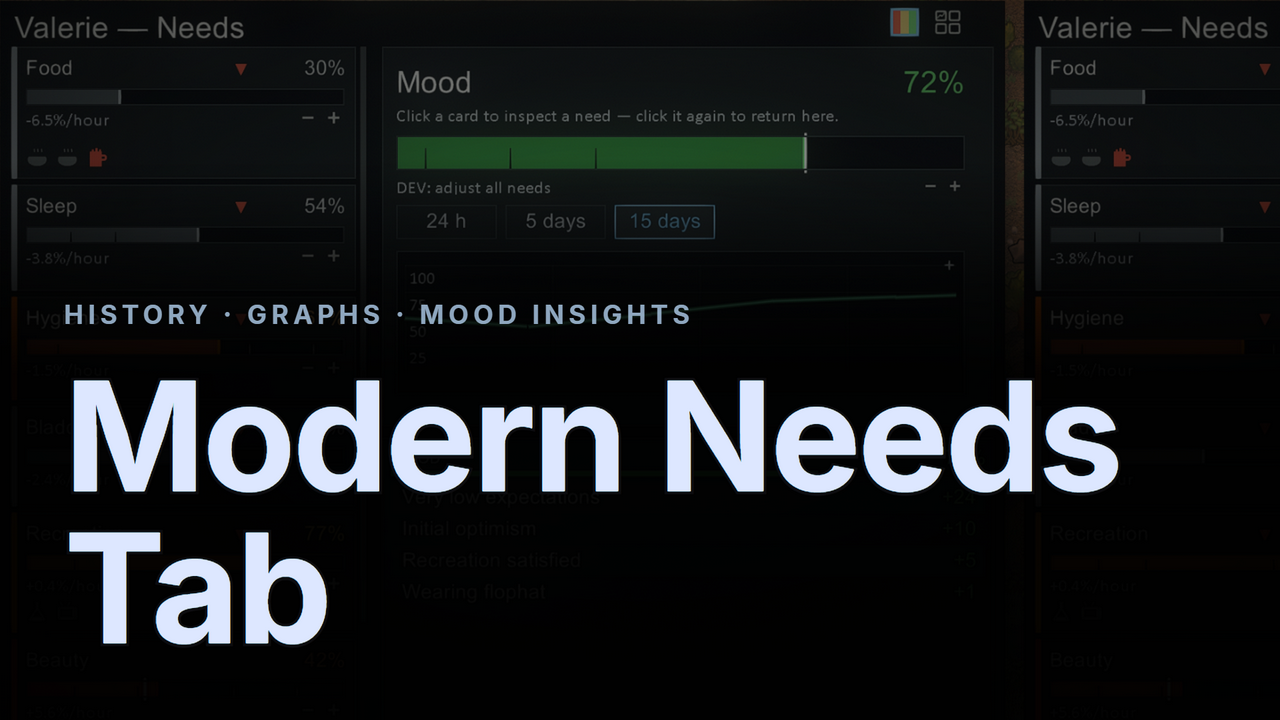
Modern Needs Tab
◆ Modern Needs Tab ◆ The vanilla needs tab tells you where a need is — never where it's been, how fast it's moving, or what just shifted it.

Skill Graph - Expanded
Skill Graph Expanded An addon for Skill Graph that makes it play nicely with the rest of your skill mods.

More Management Mods