Timelapse 2000
 1 / 4
1 / 4This mod is no longer being updated As of May 2022, I will no longer be updating my Rimworld mods until further notice, although if a new version of Rimworld is released, I may make an effort to port my mods.
This mod is no longer being updated
As of May 2022, I will no longer be updating my Rimworld mods until further notice, although if a new version of Rimworld is released, I may make an effort to port my mods. The reasons for this are simple: I no longer have the time to maintain these mods, and my enjoyment from creating them has diminished over time. Thank you to everyone who enjoyed my mods and left good feedback. Please feel free to fork, re-upload or post patches for my mods. I ask the following if you do:- Any fork, 'continuation' or re-upload must be open source.
- The fork or continuation must link back to the original (steam page or github page). I must be listed as the original author.
Only works on 64-bit Windows! Don't bother downloading this on Mac/Linux, it won't work!
About
This mod creates timelapse videos from the images generated by the Progress Renderer mod (created by Lanilor) with as little effort as possible. You can then use the video in editing software to add music and text if you want, or just send the video to friends or upload for everyone to see. Default save location: My Documents/Rimworld RendersFeatures
- Any amount of images, any resolution.
- Configure frames per second, resolution, video format, bitrate etc.
- Simply paste location of images, press start, done!
- Can still play RimWorld while video is rendering.
- Will not lag computer while rendering (unless potato PC).
- Has progress bar, and calculates estimated time remaining.
How to use:
- On the main menu, or the pause menu, press the Rimworld Renderer button. (It's a small label, not a big brown button)
- Paste the path (location) of the folder that contains the images.
- Change any settings, such as frames per second.
- Press Start.
- Profit.
Other
See the Github page for more info on settings and how this works behind the scenes. Please comment with any suggestions or improvements, or any problems that you encounter.See Progress Renderer mod:
https://steamcommunity.com/sharedfiles/filedetails/?id=1438693028Similar Mods

Humanoid Alien Races
A framework for the creation of new alien races in Rimworld If you ever thought that the racial diversity in rimworld is.



Vanilla Furniture Expanded - Spacer Module
Check change notes. Vanilla Furniture Expanded – Spacer 2 is a major overhaul of the original Spacer module, designed to bring your late-game colonies into the futuristic era with furniture that actually looks and feels futuristic. This update modernizes all visuals, rebalances g
More Mods by Epicguru



Better Transhumanists
Increases the number of body modder & transhumanist trait levels from 6 to 14.
More Management Mods
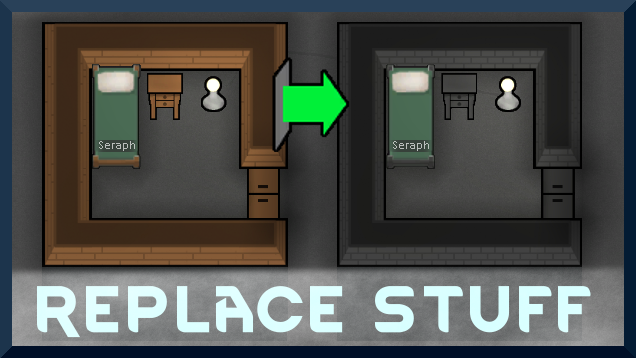
Replace Stuff
Place buildings anywhere, on top of existing things, and the game will handle it.

EdB Prepare Carefully
Customize your RimWorld colonists, choose your gear and prepare carefully for your crash landing!

Vanilla Cooking Expanded
Mechanics are simple and intuitive - keeping within the vanilla spirit without unnecessary fluff and production chains.