Worldbuilder
 1 / 8
1 / 8Compatibility Made compatible with RimHud Made compatible with Colony Groups Made compatible and integrates with World Tech Level Anything in my modpack Should work well with most other stuff too Frequently Asked Questions Save compatible?


Compatibility
- Made compatible with RimHud
- Made compatible with Colony Groups
- Made compatible and integrates with World Tech Level
- Anything in my modpack
- Should work well with most other stuff too
Frequently Asked Questions
- Save compatible? | Do not add this mid-game!
- How do I access that world selector menu? | You need a world that isn't the main one available first. You can make your own, or download someone elses. To make your own, customize a thing and click the "world" button or alternatively go to the "world" tab after clicking on a map tile.
- 1.5? | Nah. World gen changed a lot for 1.6, lots would have to be done.
- How do I delete a world? | Mod options.
- I have to place tiles one by one? | Drag your mouse.
- How do I open the map editor? | Open your world map, click on a tile, click the world button, click map editor
Best paired with
- Progression: Worlds, a collection of Vanilla-themed planets and retextures for Worldbuilder.
- Decor into Props, for debloating decoration buildings by turning them into props.
- Decor into Styles, for debloating decoration buildings by turning them into styles.
- User Media Props, for placing down your own custom sounds, music, and images.
Reccomended world mods
- Progression: Worlds, a collection of Vanilla-themed planets and retextures.
- The Earth, a full recreation of the Earth.
- Tatooine, the planet from Star Wars.
Credits
- Taranchuk worked his tail off on the C# over months
- Lucius did further C#
- Gerrymon sent me these textures, thank you brother!
- Oskar Potocki is letting us use his VBE backgrounds for worlds.
- Reel for the concept art used for the world system.
- Helixien for designing the original planet generation changes
- Mlie for maintaining the Regrowth World Generation mod until this point


tags just in case: ferny, worldbuilder, customization, art
Similar Mods
Vanilla Textures Expanded
1.6.0 (16/07/2020): Updated to 1.3. Honestly, we added so many textures (including almost a full retexture of Royalty) I'm not going to bother. 1.5.0 (11/10/2020): Added faction icons in HQ. 1.4.0 (04/09/2020): Added various new textures: Snowmen, Flatscreen TV, Unfinished appare

Vanilla Events Expanded
See changenotes. Vanilla Events Expanded is one of our oldest mods, and I’m honestly shocked it’s holding up so well - it’s pretty resistant to game updates and bugs because of its simplicity. Back when I first made it with Kikohi, we didn’t know much about modding. I just wanted


RimHUD
RimHUD is a UI mod that displays detailed information about a selected character or creature.
More Mods by ferny

More Prop Categories
What does this do? Adds new prop categories and moves relevant items into them. Feel free to use the categories established in this mod for your own prop mods. This mod does NOT add any new props, it is simply a platform for modders to add props to new categories. Prop categories


Progression: Education
This marks workbenches from mods as valid benches for training specific skills in skill classes.
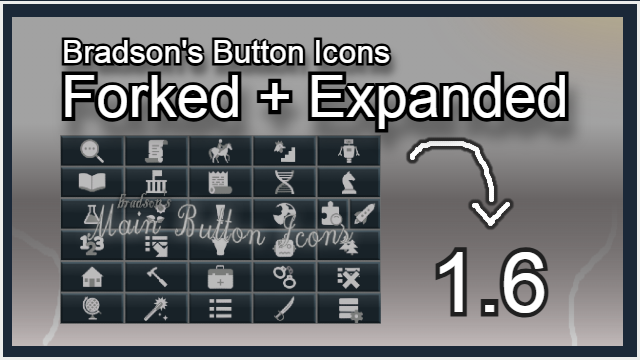
Bradson's Main Button Icons (Forked + Expanded)
Disclaimer/History This is a mod originally built by Bradson and Harkon, maintained for the 1.
More Management Mods
RimHUD
RimHUD is a UI mod that displays detailed information about a selected character or creature.


Humanoid Alien Races
A framework for the creation of new alien races in Rimworld If you ever thought that the racial diversity in rimworld is.