Stat Compression
 1 / 7
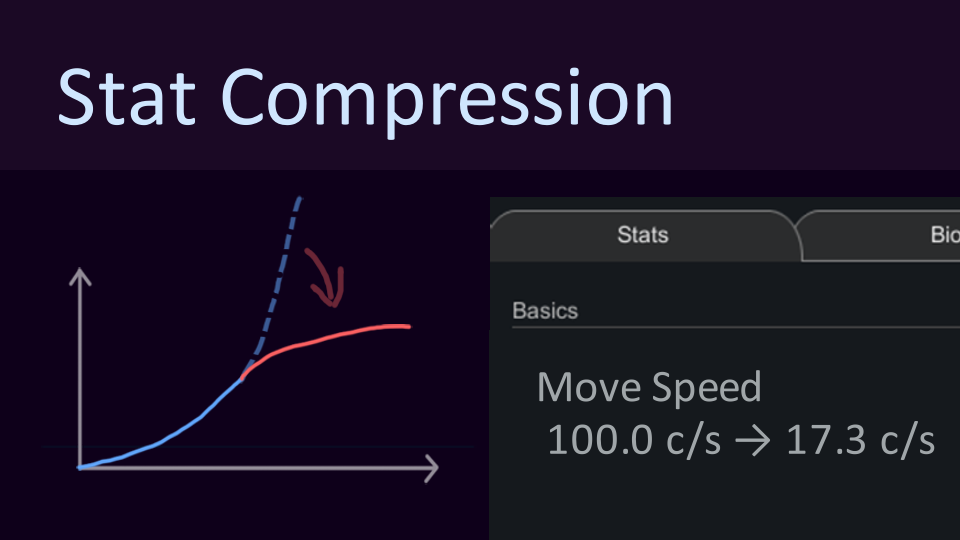
1 / 7A Mod for Compressing Inflated Stats This mod comes with a collection of presets designed to compress wildly inflated stats.
A Mod for Compressing Inflated Stats
This mod comes with a collection of presets designed to compress wildly inflated stats. For example, a pawn moving at 100 cells per second can be brought down to roughly 10, while vanilla-scale values remain almost unchanged. By default, stat compression applies to everyone equally. You can also limit it to specific hostile factions, races, or even just your own pawns.What Can This Mod Be Used For?
That depends on what you want from it: 1. Reduce the power gap between mods, so one wildly overpowered mod does not make everything else irrelevant. 2. Limit your own power for a more challenging playthrough. 3. Tone down enemies so high-difficulty battles do not become completely absurd. Think of it as a somewhat rough-and-ready balancing tool.Configuration
The mod includes ready-to-use stat compression presets. If you do not feel like adjusting hundreds of values yourself, you can simply use those. Object filters let you choose which factions, races, hostile/friendly/neutral pawns, or content from specific mods should be affected. Global Simple Settings let you quickly adjust the compression method and strength for most stats: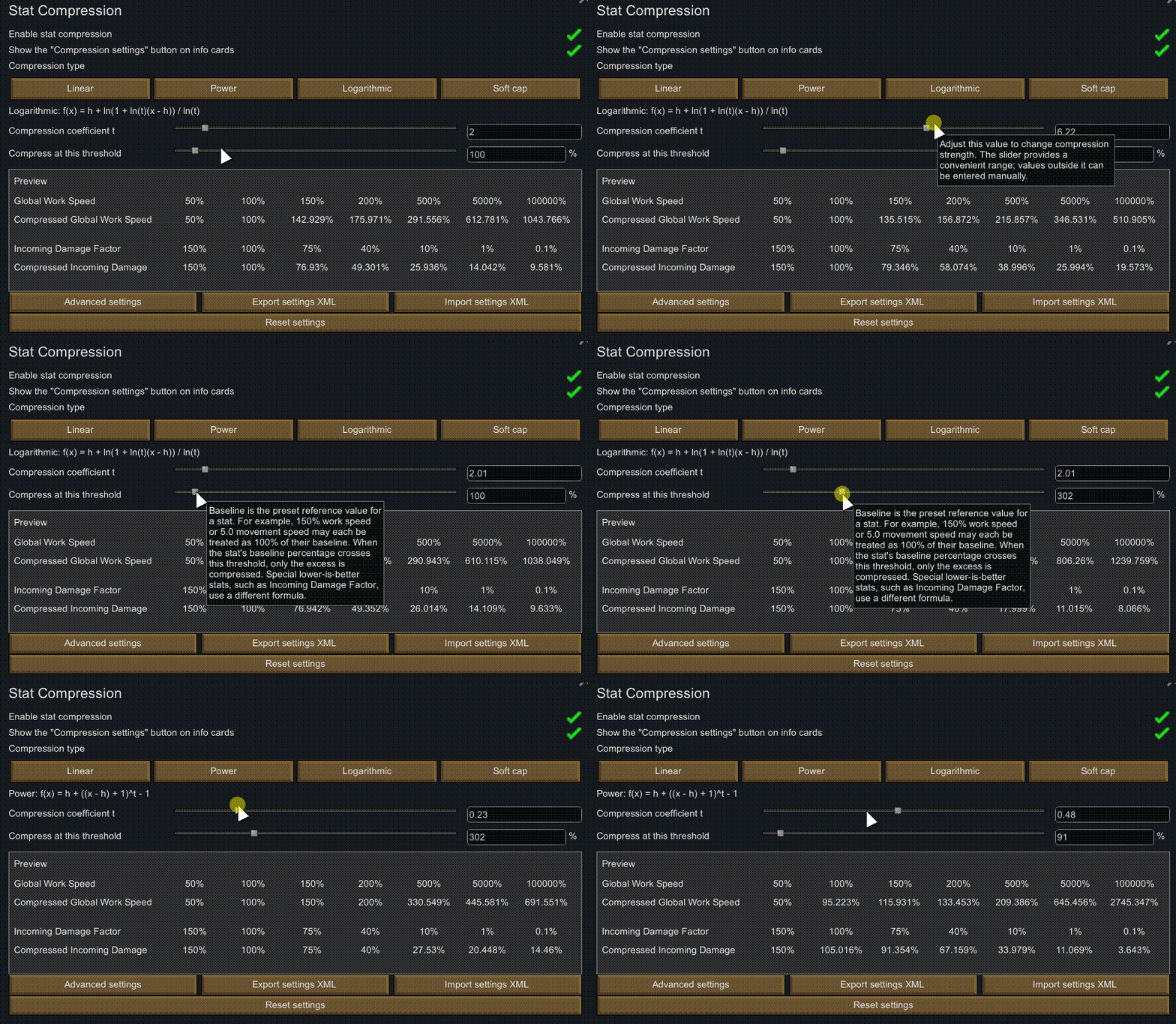 Advanced Settings let you configure the compression behavior of every individual stat.
(There may be just a tiny bit of math involved...)
For example:
- Choose a compression method: Linear, Power, Logarithmic, Soft Cap, or disable compression entirely.
- Configure when compression begins and how values are mapped after crossing the threshold.
There are usually more than 200 configurable stats, in case you really want to fine-tune everything...
(I spent quite a while tuning these. (╯‵□′)╯︵┻━┻)
You can also export your configuration for backup or share it with other players.
Advanced Settings let you configure the compression behavior of every individual stat.
(There may be just a tiny bit of math involved...)
For example:
- Choose a compression method: Linear, Power, Logarithmic, Soft Cap, or disable compression entirely.
- Configure when compression begins and how values are mapped after crossing the threshold.
There are usually more than 200 configurable stats, in case you really want to fine-tune everything...
(I spent quite a while tuning these. (╯‵□′)╯︵┻━┻)
You can also export your configuration for backup or share it with other players.
Default Presets
The mod includes a default set of stat compression presets, which are applied when the mod is installed for the first time:- Early-game vanilla bonuses are barely affected, while extreme late-game bonuses are compressed much more heavily.
- Stats that normally have an upper limit receive a smoother soft cap.
- Uncapped efficiency stats use logarithmic scaling once they move beyond ordinary bonuses.
Q&A
Q: Mod compatibility?
I have added compatibility configurations for some stats from the Vanilla Expanded Framework, as well as stats from the Nivarian (Ice Dragon) mod. Missing stats, usually ones introduced by other mods, receive a generic default configuration. Manual adjustment is still recommended.Q: CE?
Of course it supports Character Editor..... The other CE? I do not really play Combat Extended. If an experienced player is willing to share a good configuration, I would be happy to include it in the default presets.Q: How does stat compression work?
Compression is applied after all stat bonuses and modifiers have been calculated. Tynan's post-process curves, storyteller or scenario modifiers, and minimum/maximum value clamps remain unaffected. If you want to remove those clamps, I recommend using Unlimited or another cap-removal mod.Q: How is weapon damage handled?
Weapon damage compression is currently fairly straightforward: only the base damage of individual attacks is compressed. Damage or healing applied directly by another mod, or damage that bypasses the normal weapon path in some other way, is currently not modified.Q: Can I add or remove this mod during a playthrough?
In theory, this should be completely safe. You can add or remove the mod at any time, since it does not store any data in your save file. I recommend placing it near the bottom of your mod list so it can detect StatDefs registered by other mods. Source code: https://github.com/Forwindzz/Rimworld_Stat_CompressSimilar Mods
Smarter Construction
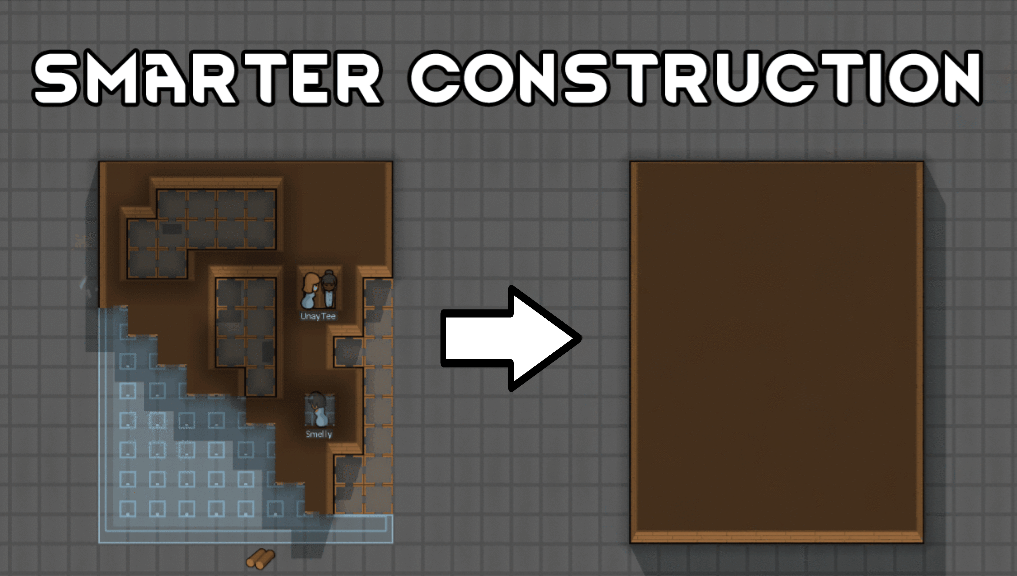
Stop your pawns from constantly building themselves into a wall or blocking something that hasn't been built yet.

Character Editor
last update: v1.6.3 build on 2025-07-21 for RimWorld v1.6.4523 Editor for humanlike pawns on map and for crashlanding (colonists, enemies, dead pawns) MOD FEATURES • editor for pawns on map and for crashlanding • editable: body, head, hair, skin color, apparel color, gender, name

Vanilla Textures Expanded
1.6.0 (16/07/2020): Updated to 1.3. Honestly, we added so many textures (including almost a full retexture of Royalty) I'm not going to bother. 1.5.0 (11/10/2020): Added faction icons in HQ. 1.4.0 (04/09/2020): Added various new textures: Snowmen, Flatscreen TV, Unfinished appare
More Mods by f⑨
RimTalk - Generate Knowledge
This is a companion utility mod for RimTalk - Expand Memory This mod can automatically generate Knowledge entries based on in-game Def definitions, including: Items / Buildings / Creatures / Health Conditions / Research / Factions / Xenotypes / Genes / Memes Knowledge is generate
More Management Mods
Character Editor
last update: v1.6.3 build on 2025-07-21 for RimWorld v1.6.4523 Editor for humanlike pawns on map and for crashlanding (colonists, enemies, dead pawns) MOD FEATURES • editor for pawns on map and for crashlanding • editable: body, head, hair, skin color, apparel color, gender, name

Wall Light
As of update 1.5, Rimworld now contains wall lamps that serve the same purpose that this mod served for many, many years. So, what does this do now? Adds wall sun lamps. Lets you configure the vanilla wall lamps (and the added wall sun lamps) like you could with the old wall ligh

Dubs Mint Menus
Adds new list boxes for recipe bills, health bills, plant selection, architect menu, research menu, and a quick select menu for designators, making it easier to find things when lots of mods are running.